Website Builder > Essentials > Glossary
Website Builder Glossary
Learn about the Website Builder terminologies.
- Website Builder terminologies, and their meanings.
Grid Element
The Grid element is the fundamental building block of a Page. When you create a page, the first thing to add is a grid block. It serves as the parent container for all the Page elements.
Page Element
Website Builder application comes with a few ready-made page elements like Image, Rich Text, Fragment, etc. These are the building blocks of a Page.
Page Revision
Page Revisions are a snapshot in time of the page. A new Revision is created every time we have a Publish event, meaning if you are editing Draft of Revision 1, it will stay Revision 1 until you Publish the Page. Once the entry was published and you try editing it again, the system will automatically create Revision 2 for you so that Revision 1 will remain intact and published and Revision 2 will be the record you edit.
Page Status
In Website Builder by default, we have three statuses: Draft, Published, and Unpublished. The statuses are self-explanatory, but keep in mind that in the Pages view, the Status that you see is the status of the latest revision.
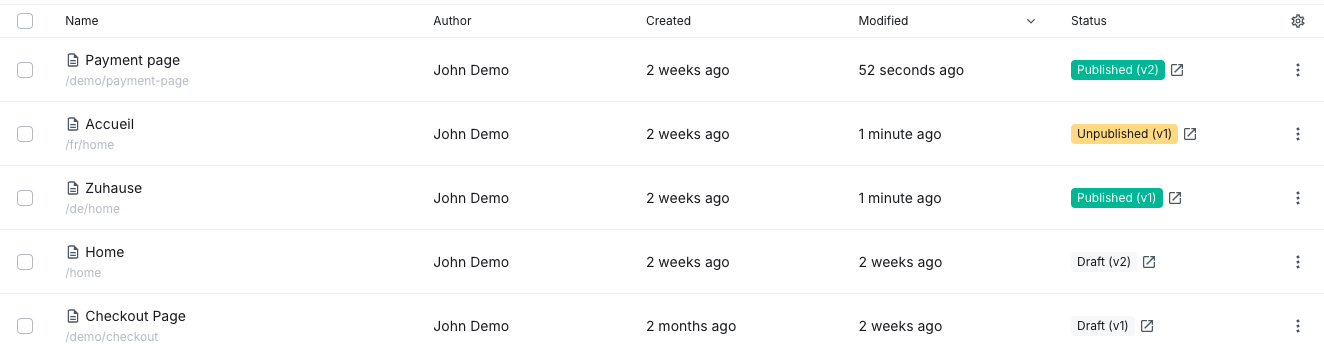 Page statuses